Overview
In a two week period, our Experience Team created a sizzle real proposal to integrate an AI assistant within a Verizon’s contact center Agent’s on screen tools, potentially reducing average call times by 75%.
The Team
Client Account Leads
2 Delivery Leads
UX/UI Lead – Me!
UI Designer/Animator
Background
Customers call the contact center for requests like bill payments, upgrades, and account closures, with an average call duration of five minutes. Agents face inefficiencies due to long dead air while navigating screens, with simple tasks like retrieving a balance taking over two minutes, regardless of experience.
The proposal and Goal
While better data and tool organization in the Agent’s workspace could help, it would require a major Product overhaul. Leveraging AI to guide the Agent in real time would be a more effective short-term solution. The proposed AI plug-in would listen to Customer/Agent conversations automatically navigating the product and prompting the Agent with responses to client inquiries.
Present State Analysis
Our team monitored and analyzed recorded phone conversations between the Customer and Agents pertaining real-time visuals of the Agent’s screen to observe tool navigation during query resolution.
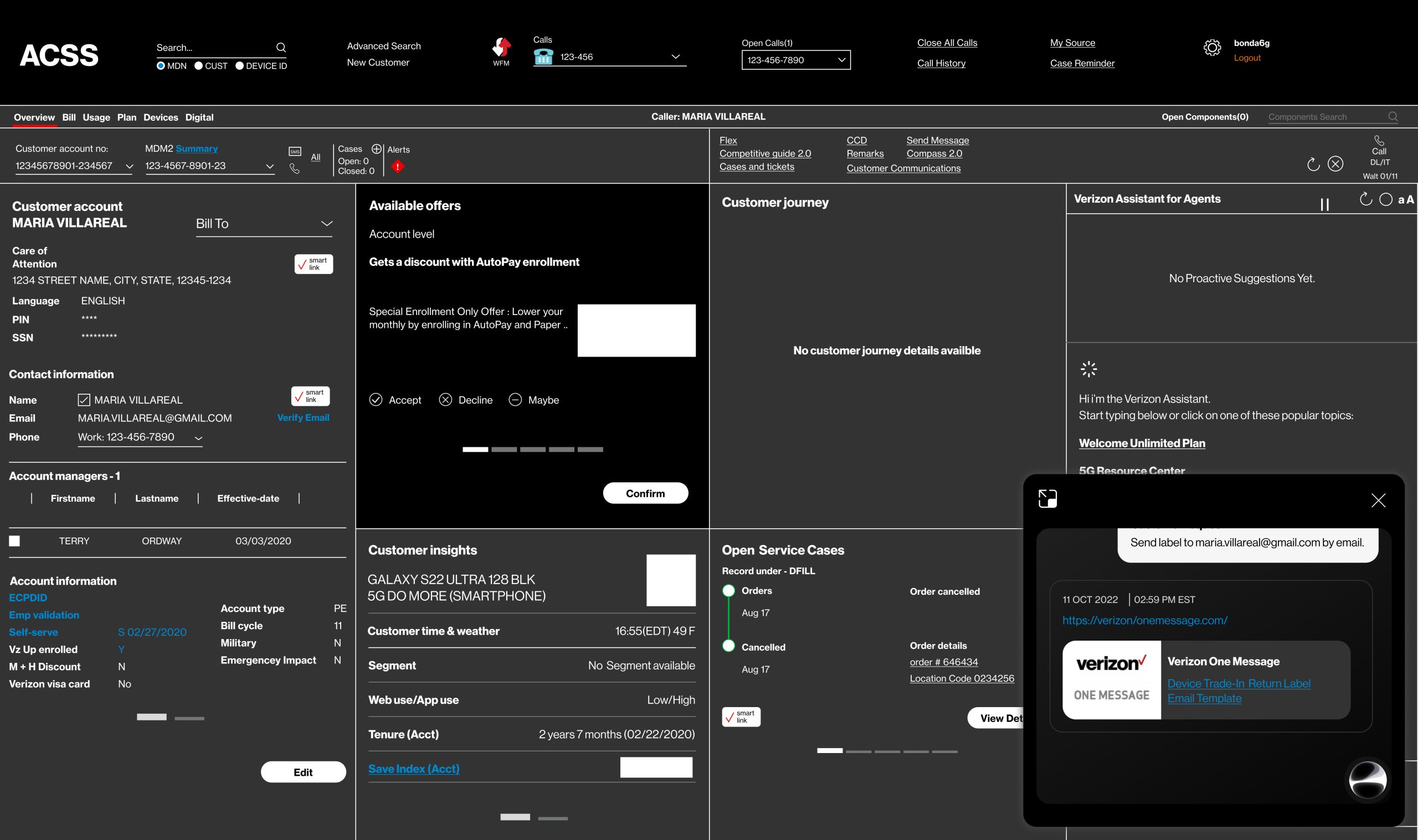
What we observe from the Agent’s present state dashboard is that its well structured to handle the immediate Customer’s information however it’s static and requires the Agent to pull separate windows to view more in-depth queries.
*Note: data show in these screenshots have been modified into placeholder data. No real Customer’s information is shown.
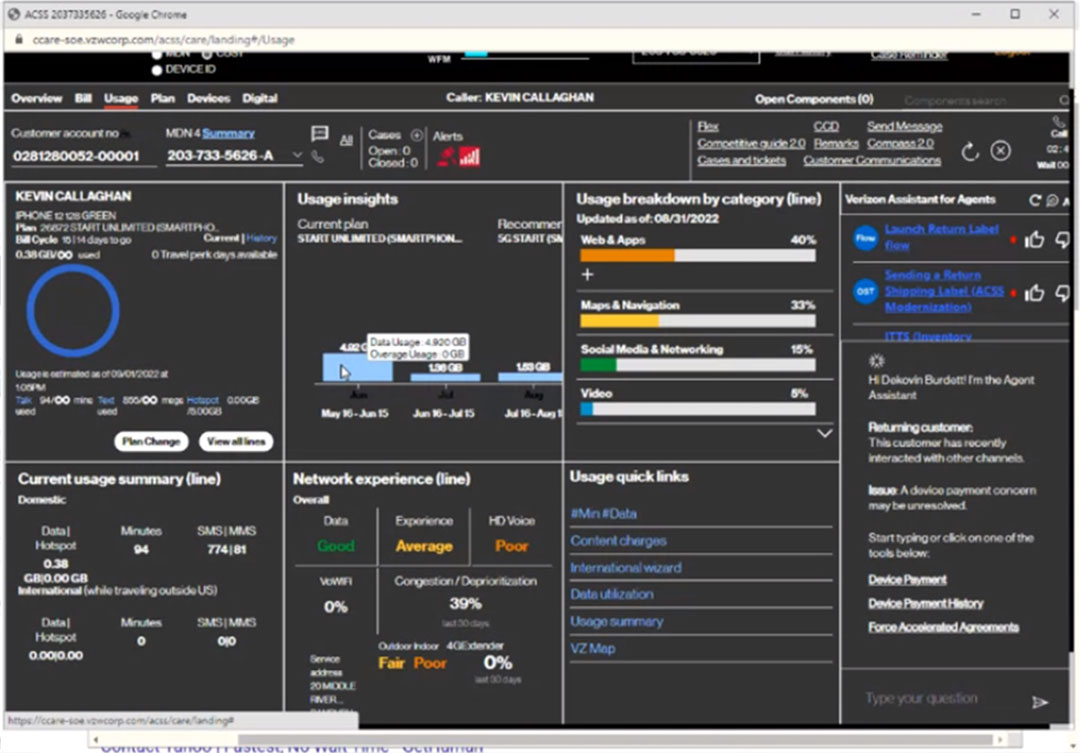
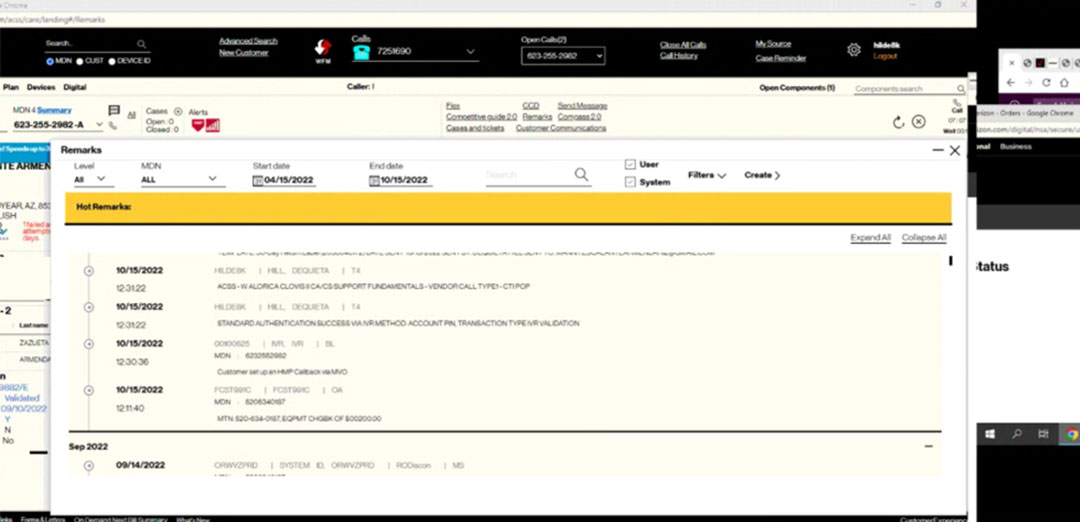
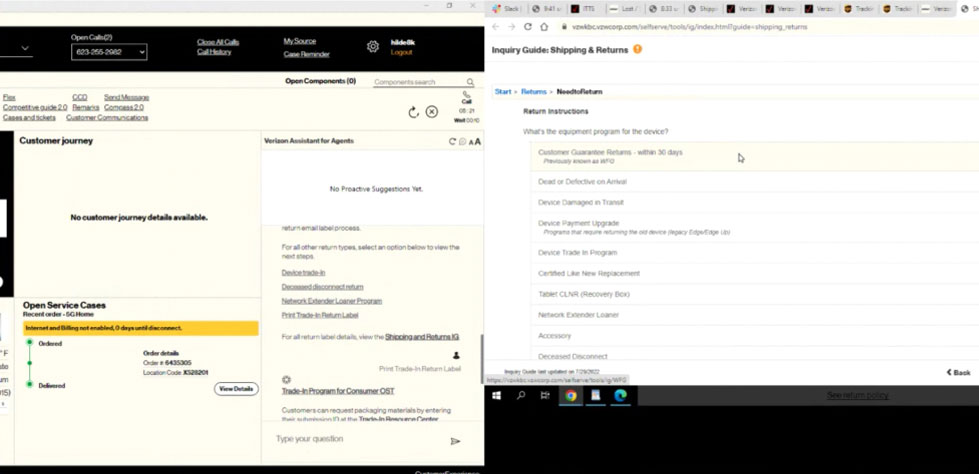
What we can take away from this analysis is validation the Agent’s workflow is not efficient and requires a major overhaul and consolidation to reduce navigation times. That’s why we are proposing using AI to bridge this with a more light-weight implementation.
- Clients commonly contact for bill payments, upgrades, and account closures.
- Lengthy silent pauses were observed as Agents navigated tools to take action or recall information.
- Agents switch between up to four different windows depending on the query.
- Retrieving a balance takes over 2 minutes per Agent, regardless of experience.
- Average call duration is ~5 minutes.
IMPLEMENTATION INSPIRATION
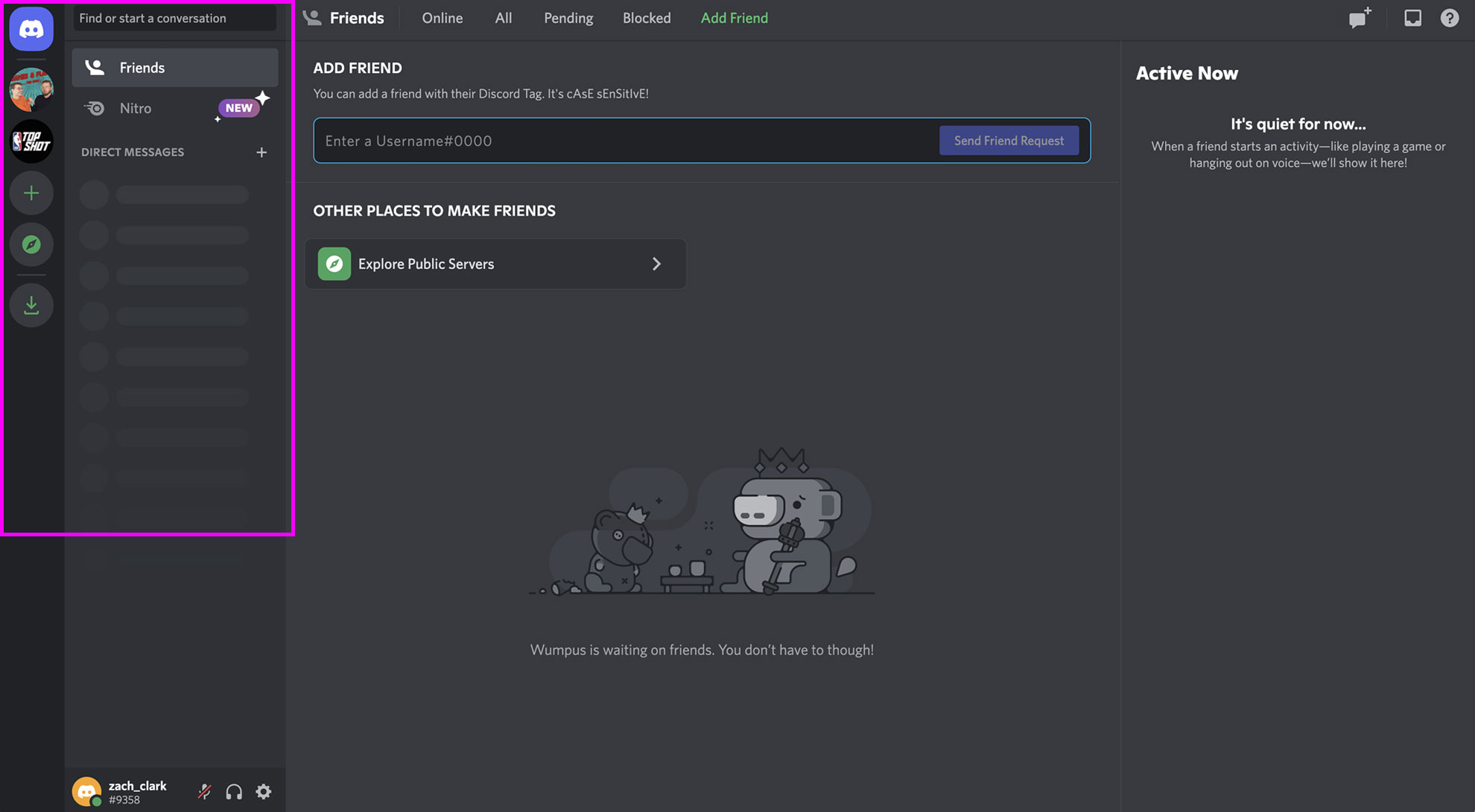
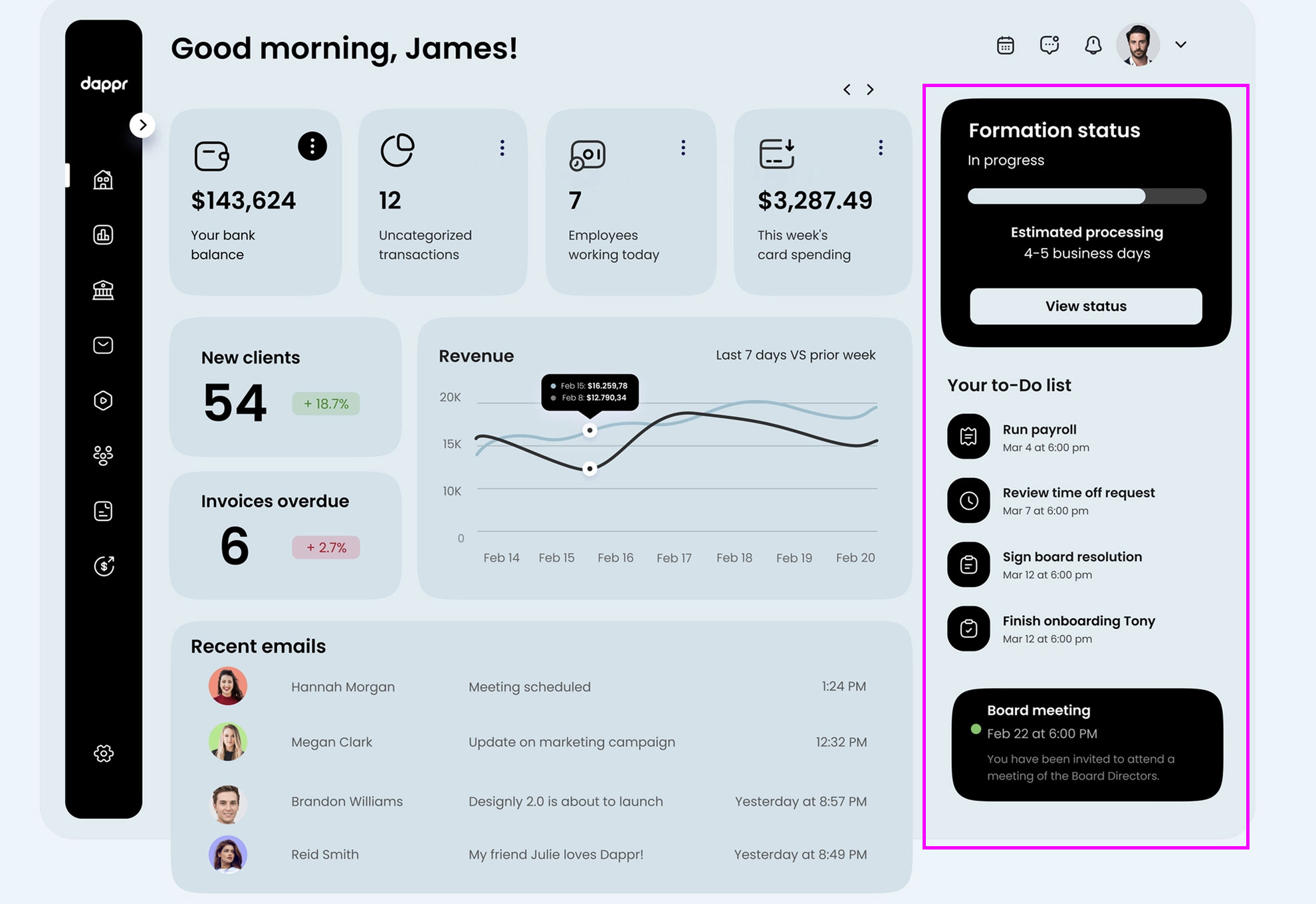
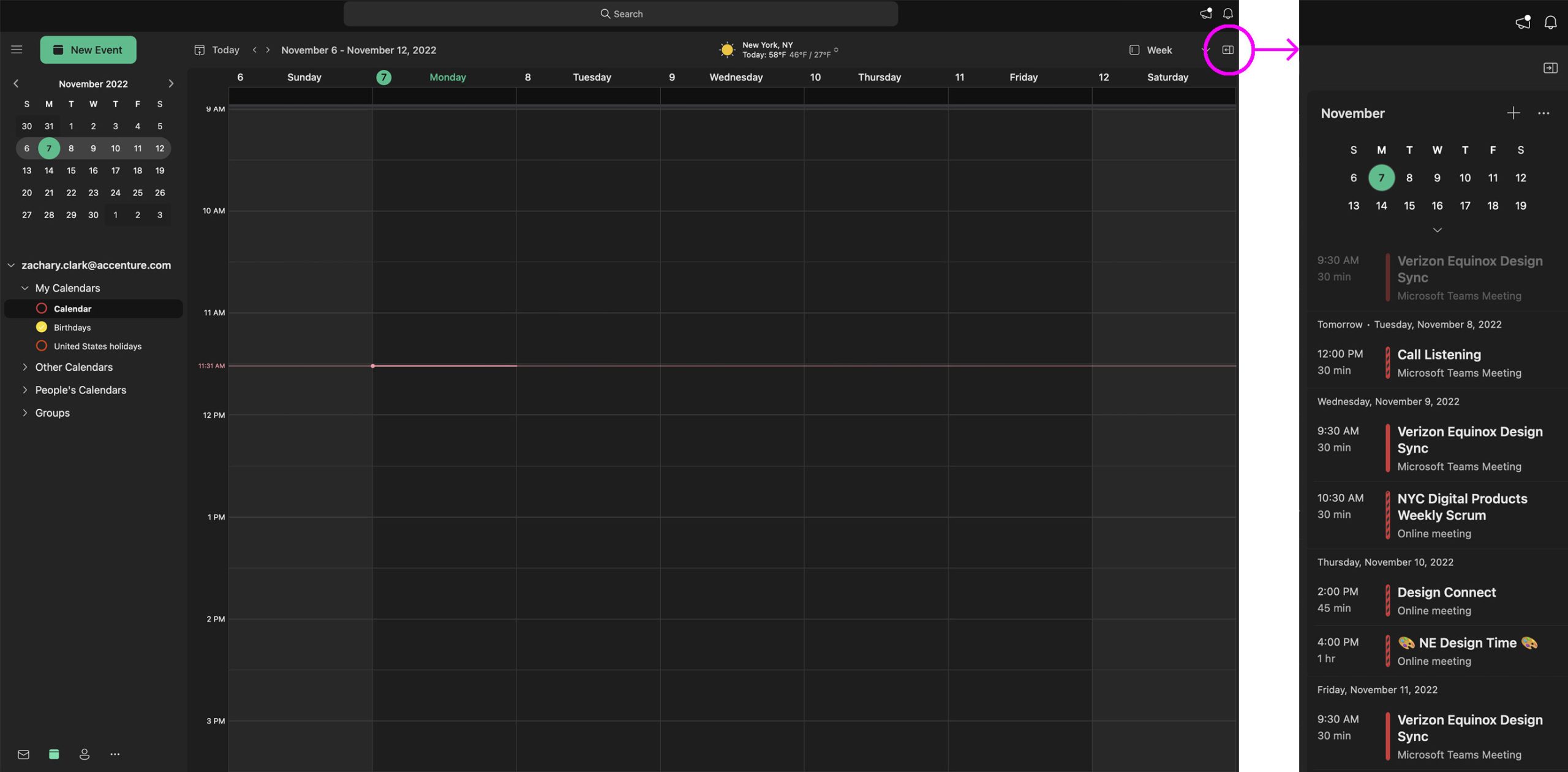
After the team validated the initial proposal idea we moved onto exploring at how we would implement an AI Agent from the font end. We looked across multiple industry landscape for inspiration on how various platforms integrate extensions and tools into their workflow platforms.
IMPLEMENTATION
The tricky part from here is Product and Design must decide whether to redesign the Agent’s main dashboard to integrate the AI product or to let it operate in its own window. We executed some quick and dirty mock-ups to weigh up the pros and cons of either.
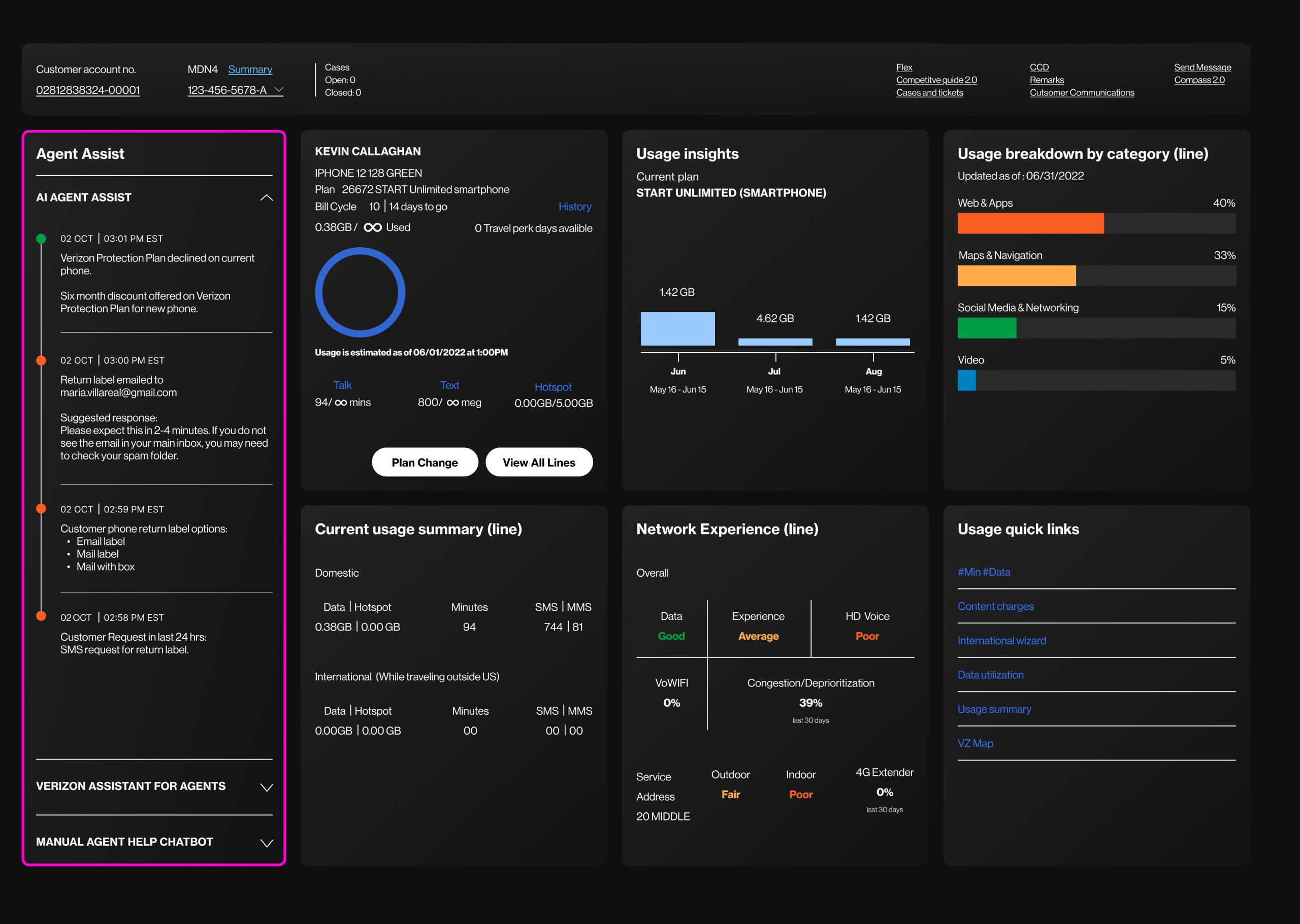
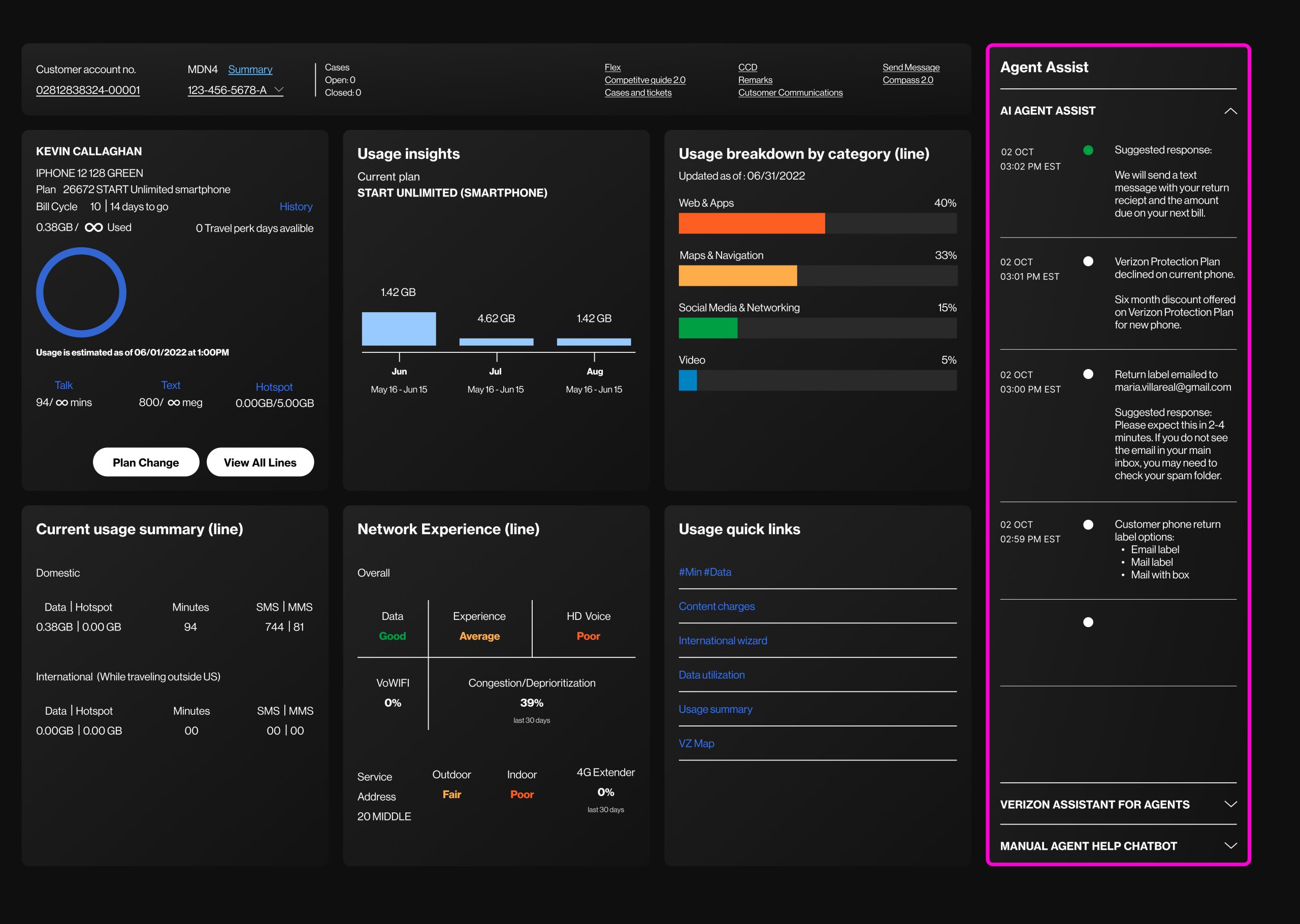
After reviewing with the Account Stakeholders it was agreed we would need to implement a simulated scenario to understand the content thats required to make this a fulfilling tool for the Agent.
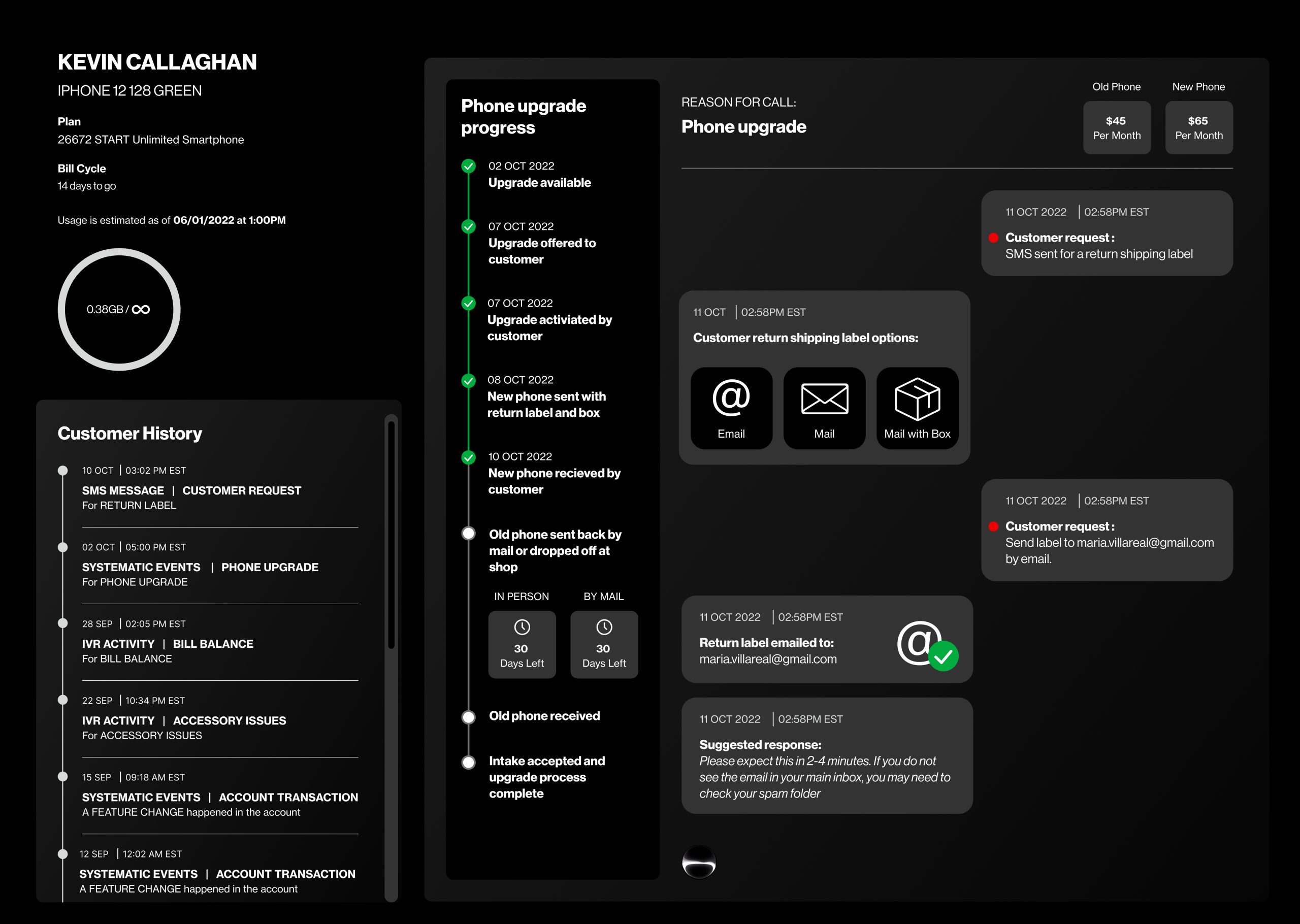
The scenario is set around the Customer is calling to request a return label to send in their phone as part of an upgrade. Here are the main steps:
- Customer calls as they are not able to access the return label link originally sent.
- Customer navigates IVR system successfully and is greeted by an Agent.
- Agent then takes action sending a return label to the Customer.
- Post interaction follow-ups are made to make sure the Customer is aware of where in the process the return resides.
We quickly recognize that multiple sections or data presentations are needed for the Agent to have a complete view of each situation, beyond our initial simple timeline mockup.
This rules out integrating the AI tool into the existing dashboard. Additionally, launching it in a separate window will help the Agent maintain familiarity with their dashboard while allowing for a more gradual introduction of the new tool.
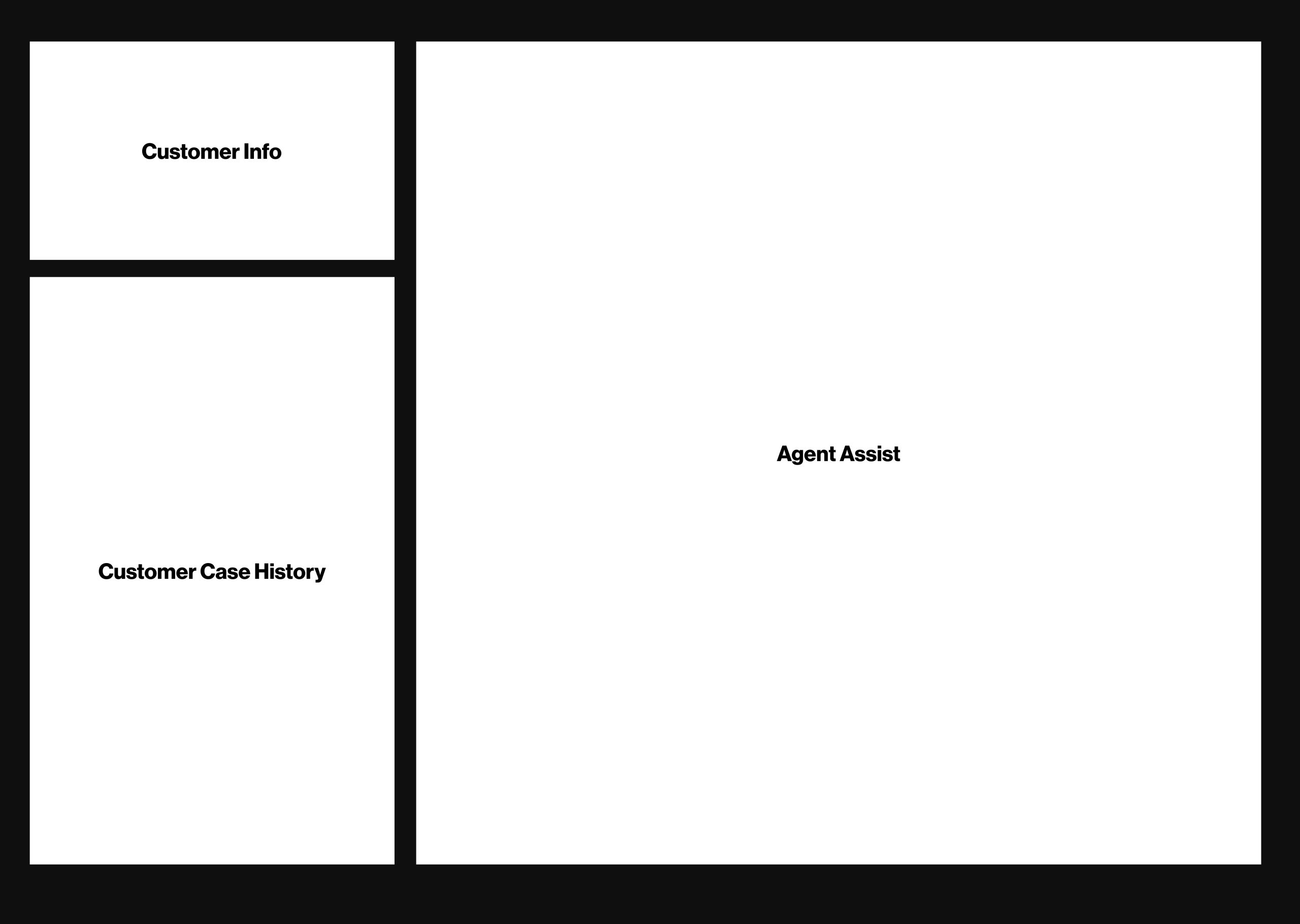
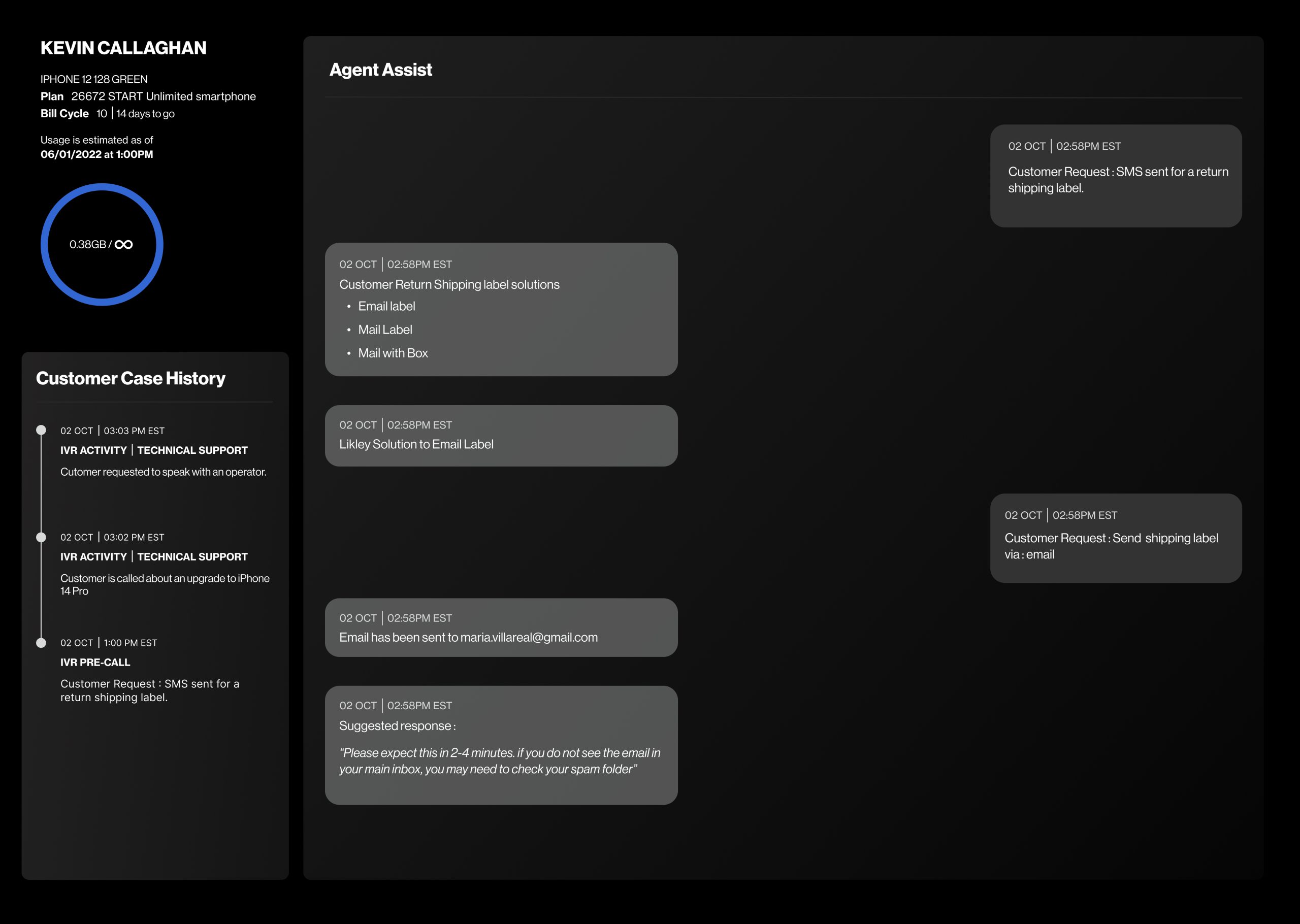
Talking through each area within the Tool’s window:
- Customer Info; A direct link (in terms of content) to the original dashboard and the most valuable overview of the Customer’s account status.
- Customer Case History; This is also present within the Agent’s tool kit albeit not within the main dashboard. However, this is important for the Agent to get an overall picture of the Customer’s situation.
- Agent Assist; The is the main area of activity and AI working.
BUILDING FUNCTIONALITY
The Team continues to iterate and build on the tool’s functionality.
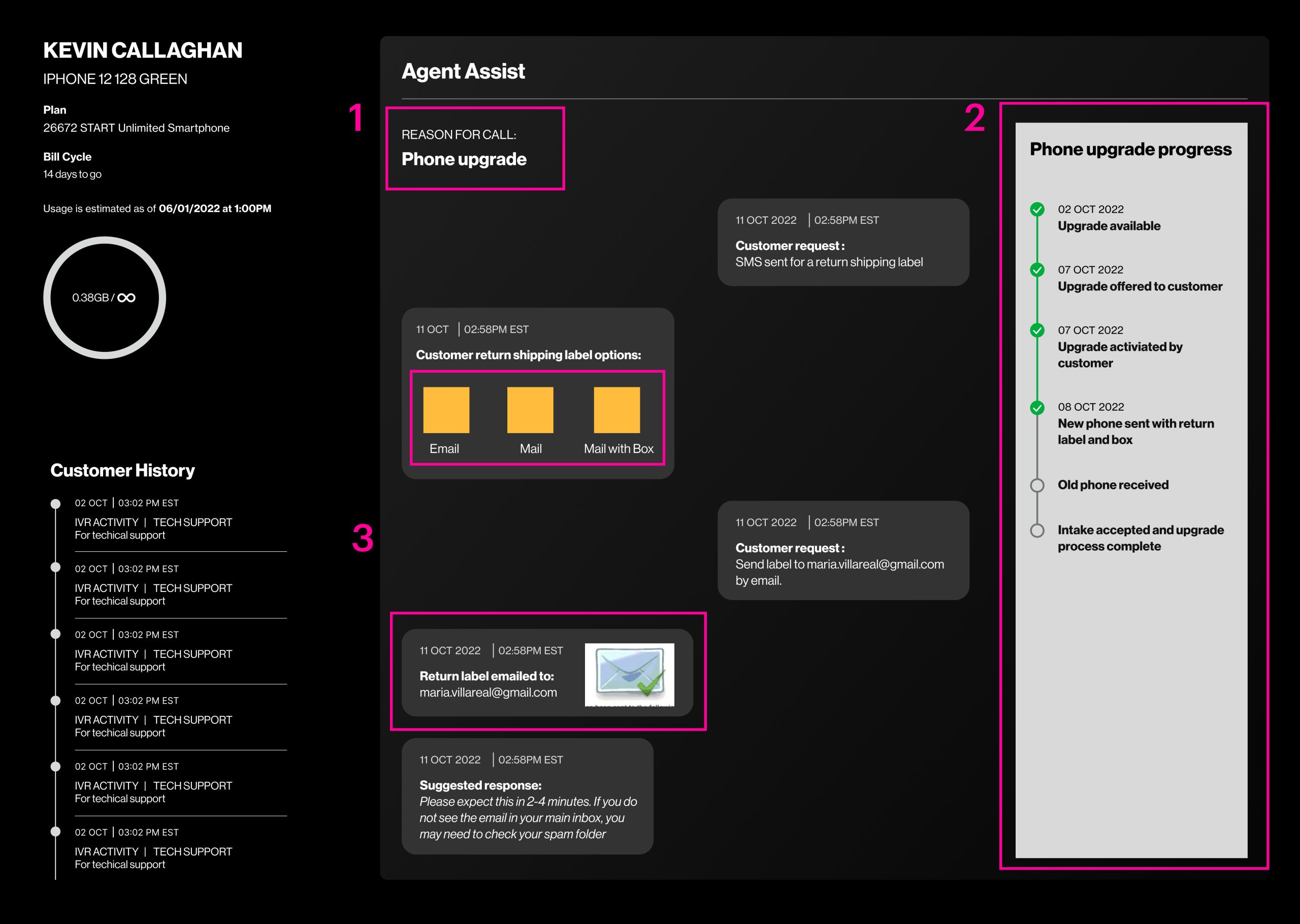
- Adding the reason for the Customer’s call. This can be determined by AI via the IVR system and Customer history records.
- There are Customer journeys that would involve a process. Our journey is an example of that.
- Adding iconography and imagery where helpful to elevate the Agent’s experience with the tool.
AI MONITORING INDICATOR
Our Team’s animator explored different ways to indicate to the Agent the AI feature is working and monitoring the phone call. Not much to choose from them however we went with the latter circle as it gives use continuity flexibility for different size formats of this AI window ie. large and small.
PHASE ONE COMPLETION
The Team refined previous UI elements, adding enhancements through iconography and subtle color changes to complement the dark theme. Our Experience Team reviewed this with the project’s Stakeholders receiving great feedback. We discussed each section and element we concluded we could refine and further increase the experience for the Agent. Roll-on Phase two…
PHASE TWO
“If the tool is optional, how can the Agent adjust its window size to fit their existing dashboard and screens?”
“Do we need to duplicate content across screens if this is going to live in parallel with the dashboard?”
We took the decision to begin focusing on how our AI tool can be adjustable on-screen and stripping away duplicated content.
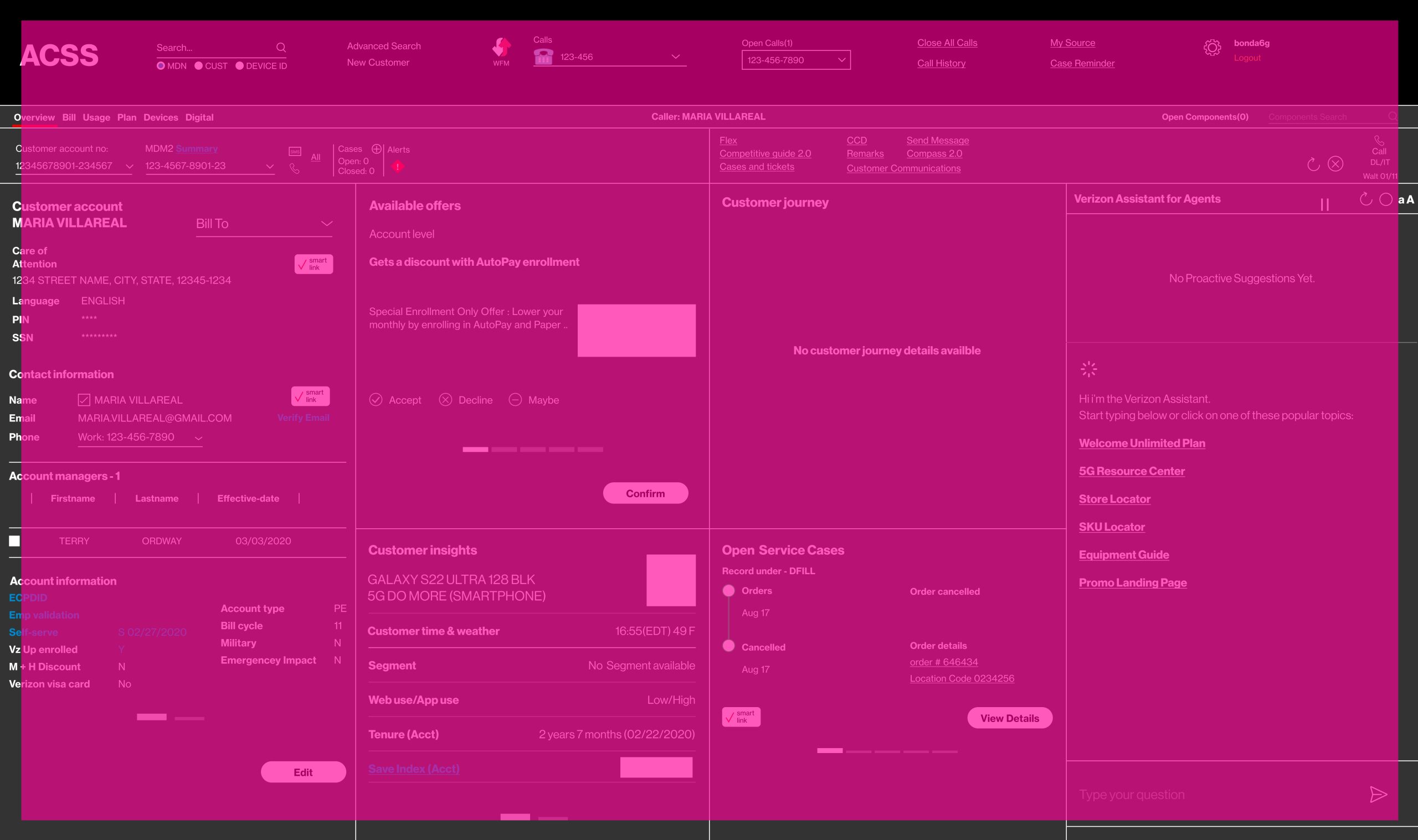
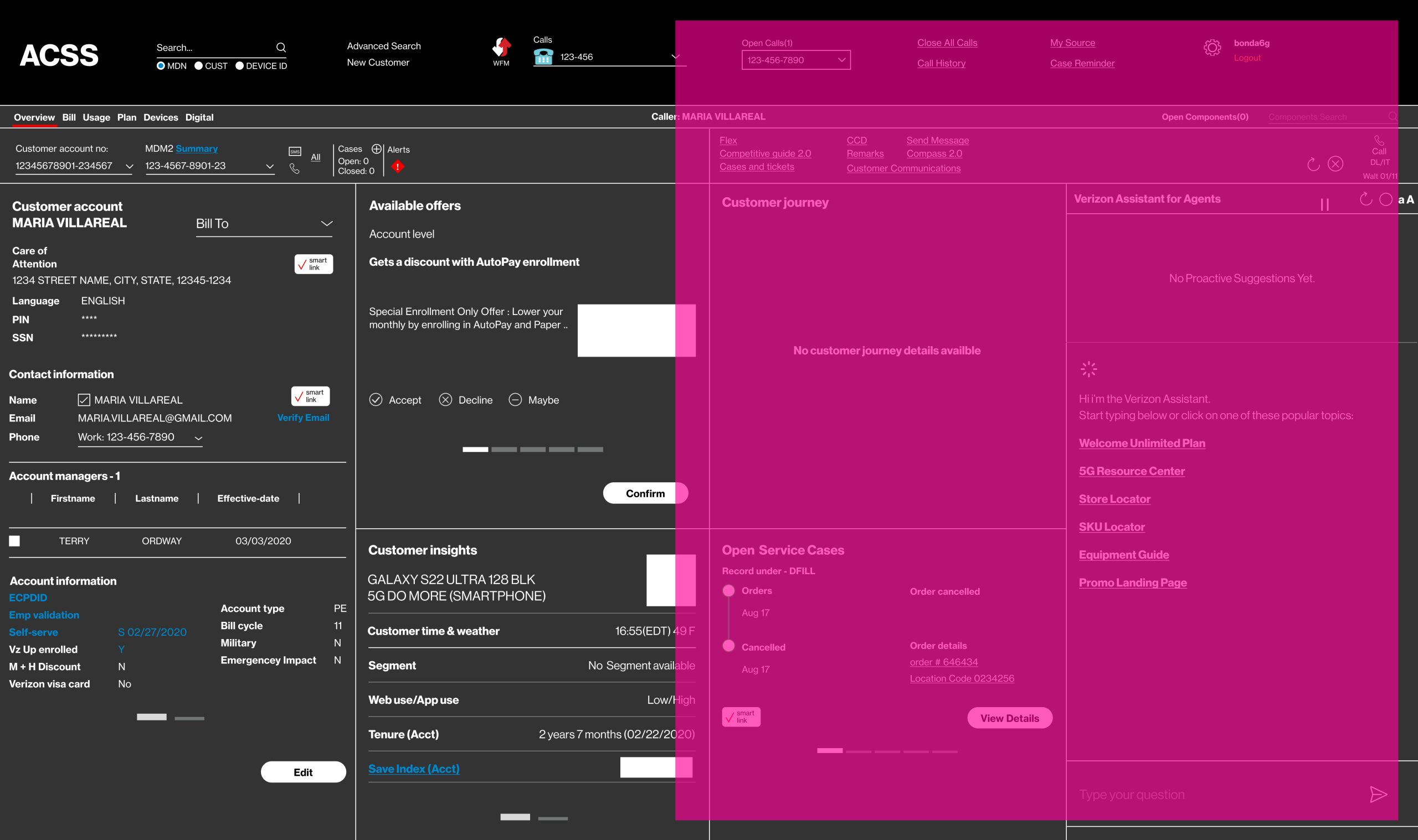
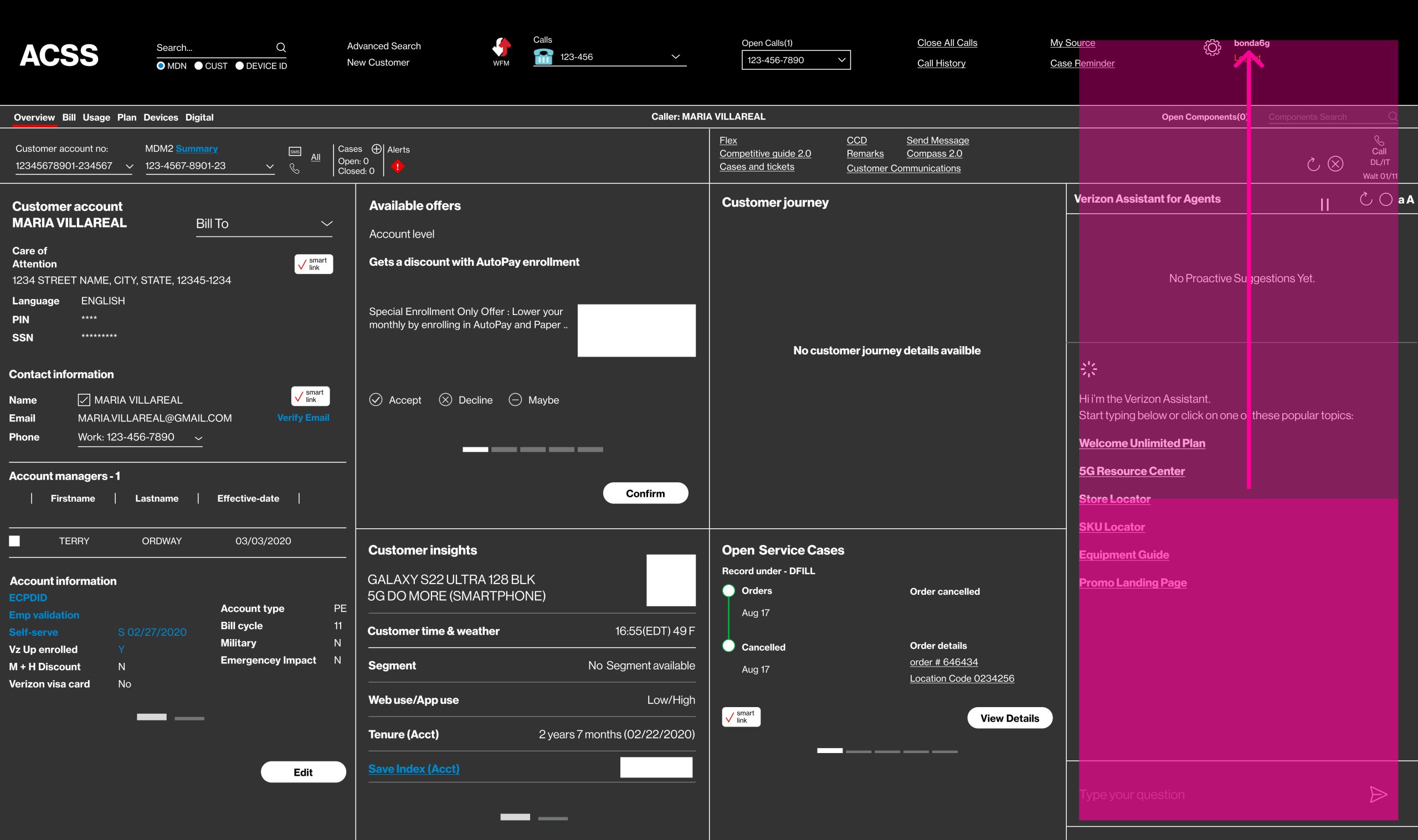
After a lean reviewing session we concluded for each section:
- Customer information overview: A duplication. Cut.
- Customer Account History: A duplication. Cut.
- Open process journey: If the query is pertaining the open journey, then this should be included. Keep but conditional.
- Reason for call: Keep.
- Information pertaining call reason: Depends on call reason. In this instance, keep.
- AI output. Keep.
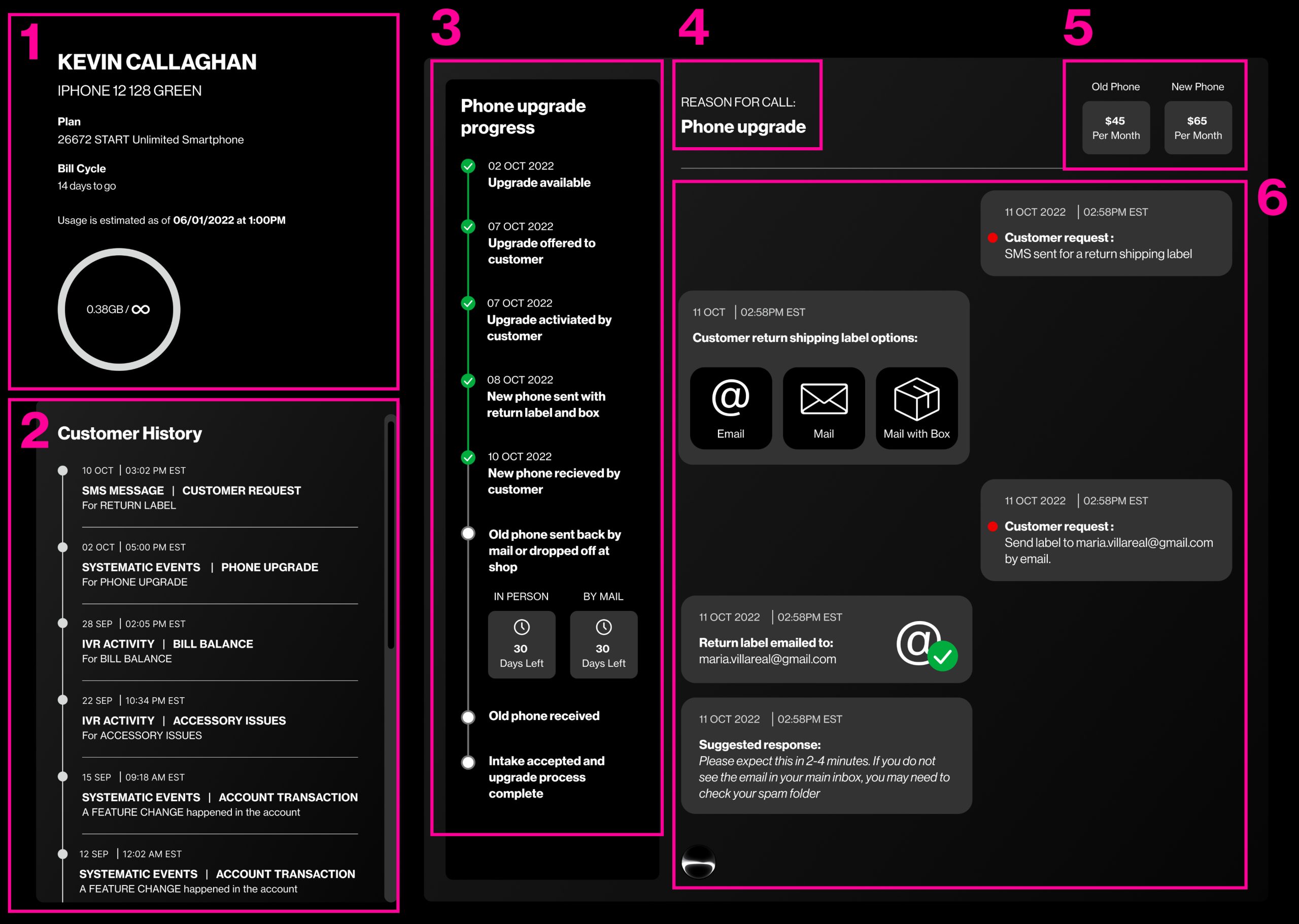
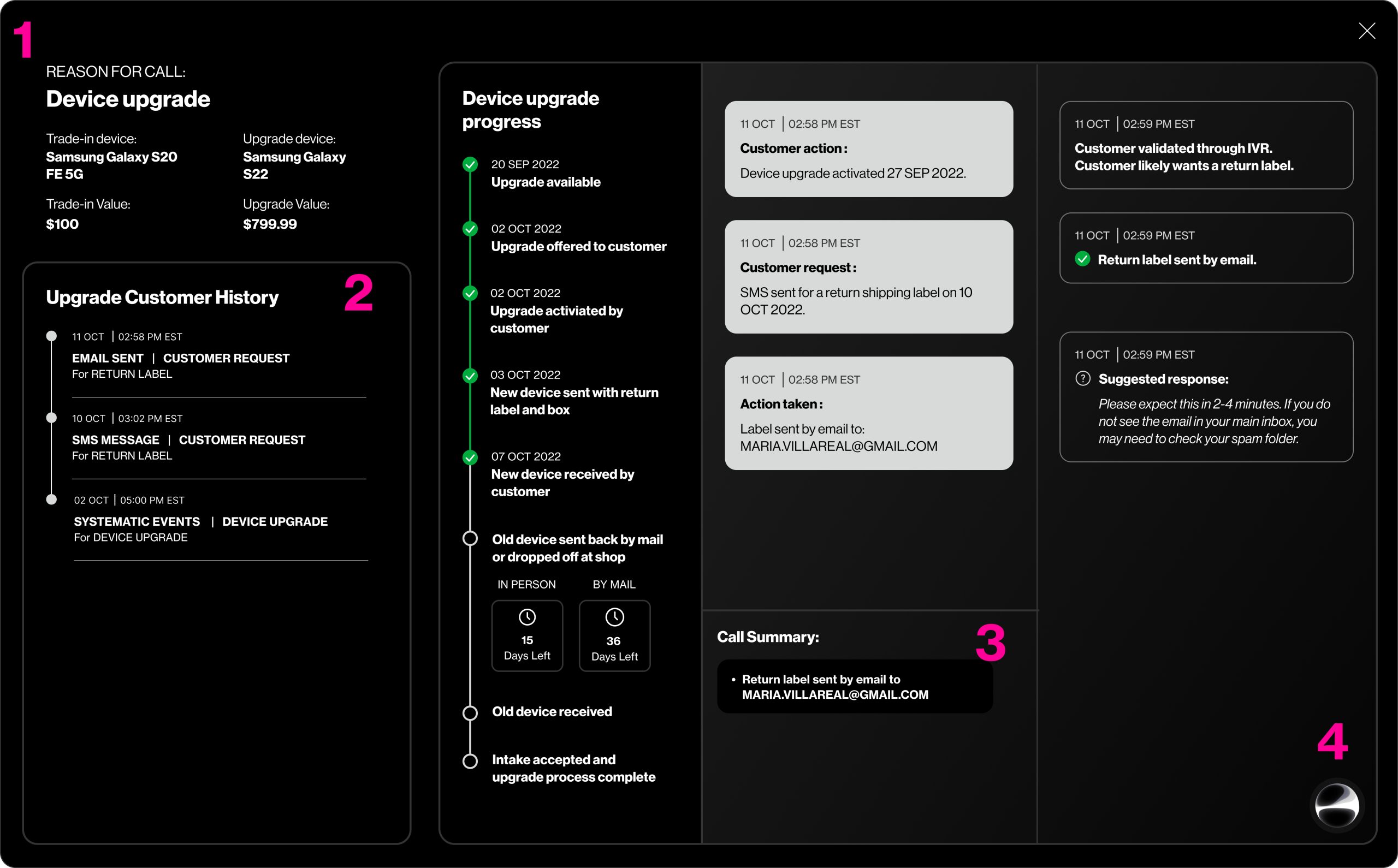
After removing the previous content, we re-evaluated whether the remaining information provides the Agent with sufficient non-duplicative insights. With space available, we determined the following key updates to enhance the experience:
- Reason for Call: Consolidated items #4 and #5 with added details.
- Upgrade Customer History: Now focuses on account actions related to the query in section #1, including key information missing from the Upgrade Progress section.
- Call Summary: High-level notes generated by the AI tool, logged within the history notes, serving as a summary for the Agent.
- AI Notification:Moved to the right, replacing item #3.
FINAL AI TOOL DESIGNS
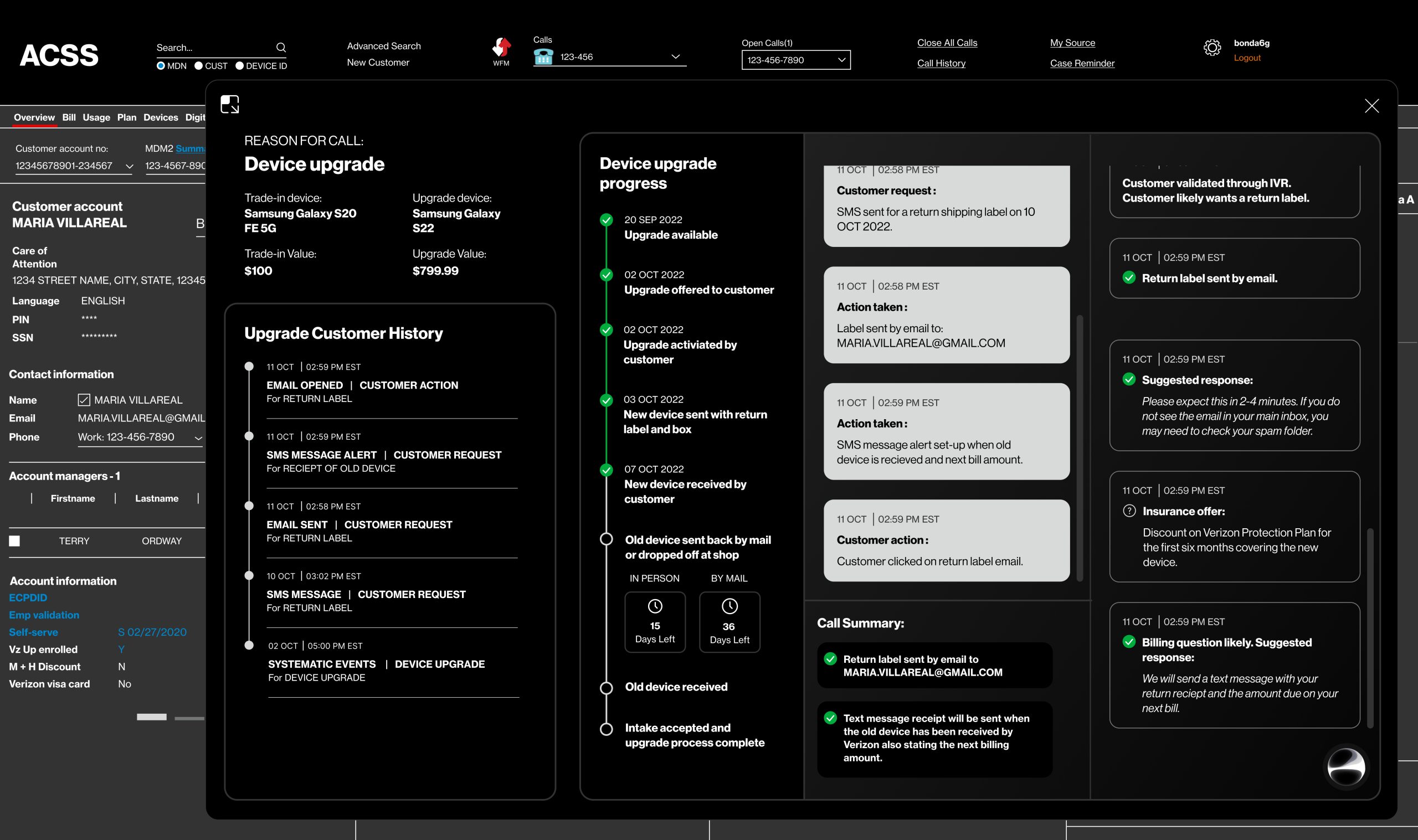
As part of the proposal, we wanted to show the client how the AI tool would sit within their existing dashboard set-up and has the ability to be adjusted in size and position to suit the Agent.
Large State
Medium State
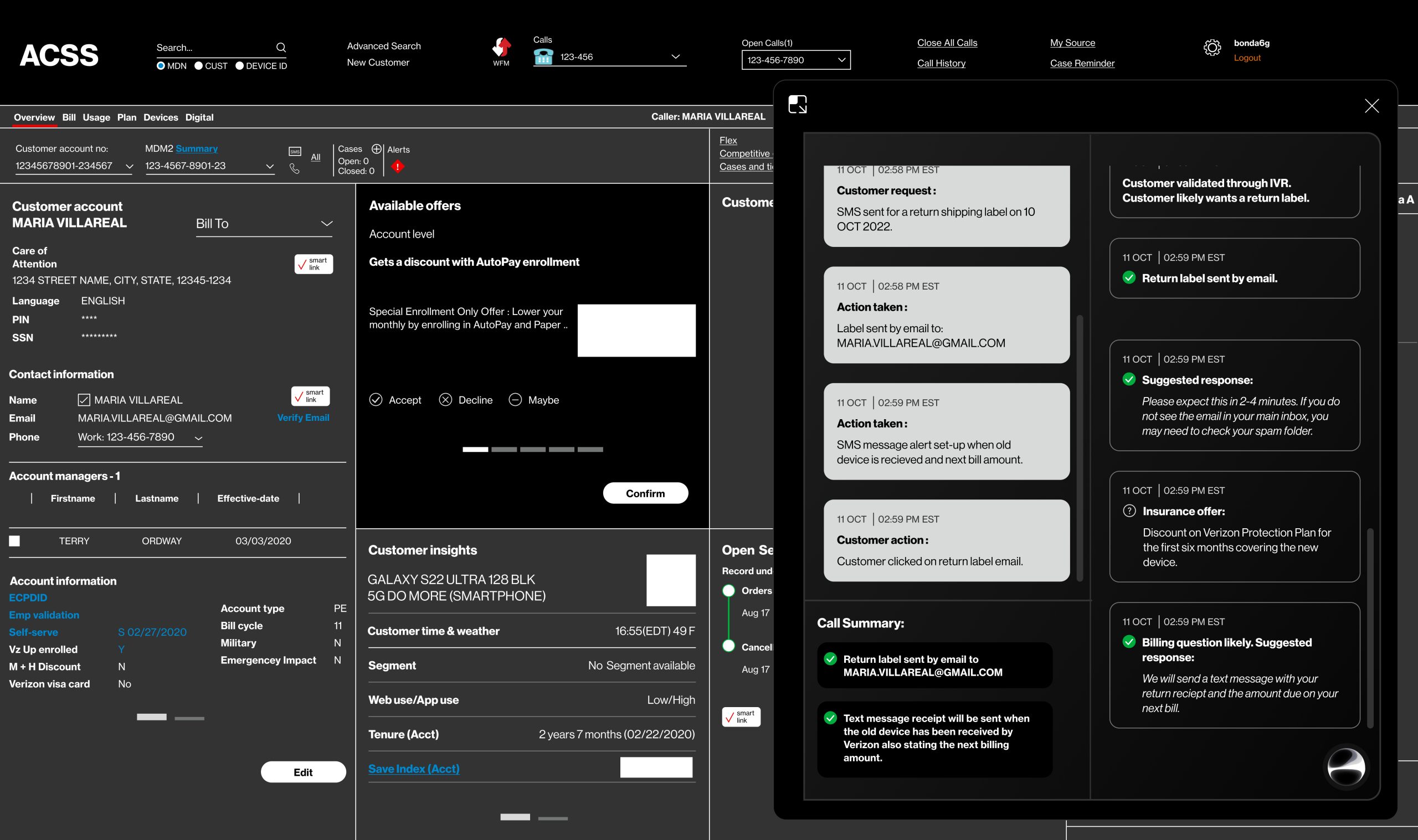
Small State
SIZZLE REEL DEVELOPMENT
To give our Team the best chance of a successful proposal, we would need to show the product in action. We can achieve this with animation to give the potential client a clear vision.
As stated previously, we will use a simulated interaction of a Customer who is trying to mail in a phone as part of an upgrade but can not download the label sent to them. The situation will be split into three sections to simulate a real-life journey:
Stage One: IVR System Interaction
Verizon has an IVR system in place to greet every Customer phone call into their Agent Center. We would like to start the demo with a Customer interactive with the IVR. More importantly; Our AI tool utilizes the IVR interaction in the experience.
Stage Two: Phone Agent
Our peak interaction and AI value preposition. This is where we’ll see the AI tool in full action providing maximum impact for the Customer.
Stage Three: Post Contact Actions
We want to show how our AI tools continues to service the Customer’s account post phone call contact has concluded.
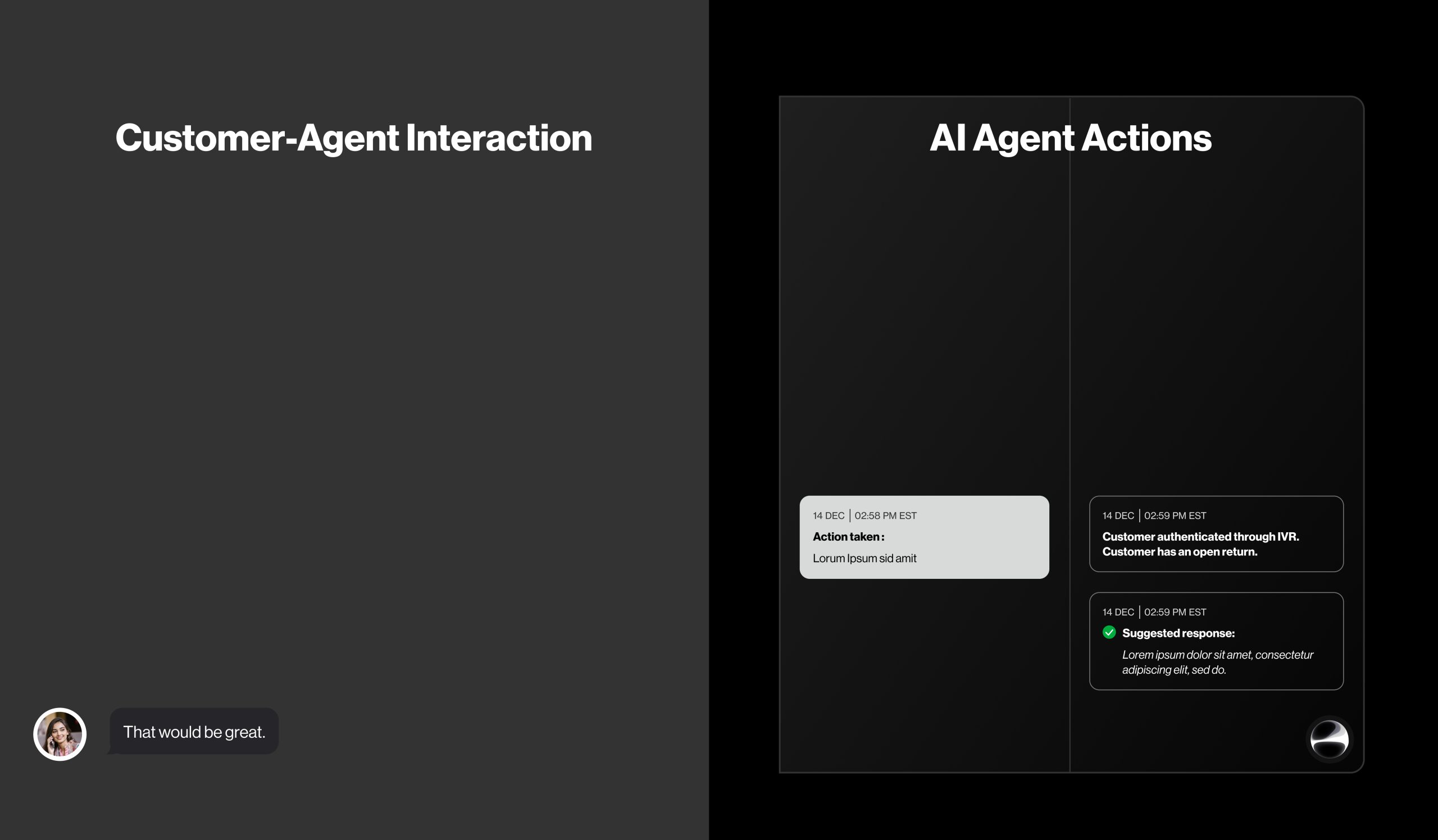
The sizzle reel’s visual structure will showcase the Customer-Agent interaction on the left and the on-screen changes in our AI tool on the right, providing viewers with a 360-degree understanding of each step.
IVR System Interaction
The interaction utilized the existing Verizon IVR system capabilities. Presently it recognizes the receiving call phone number and if there are any open journeys/cases. We want to show a short Customer-IVR interaction that gets the Customer to the Agent quickly to showcase our product proposal.
The interaction would therefor be:
- IVR validates the caller is the Customer.
- IVR Validate the reason for the call is due to an open journey/case.
Phone Agent Interaction
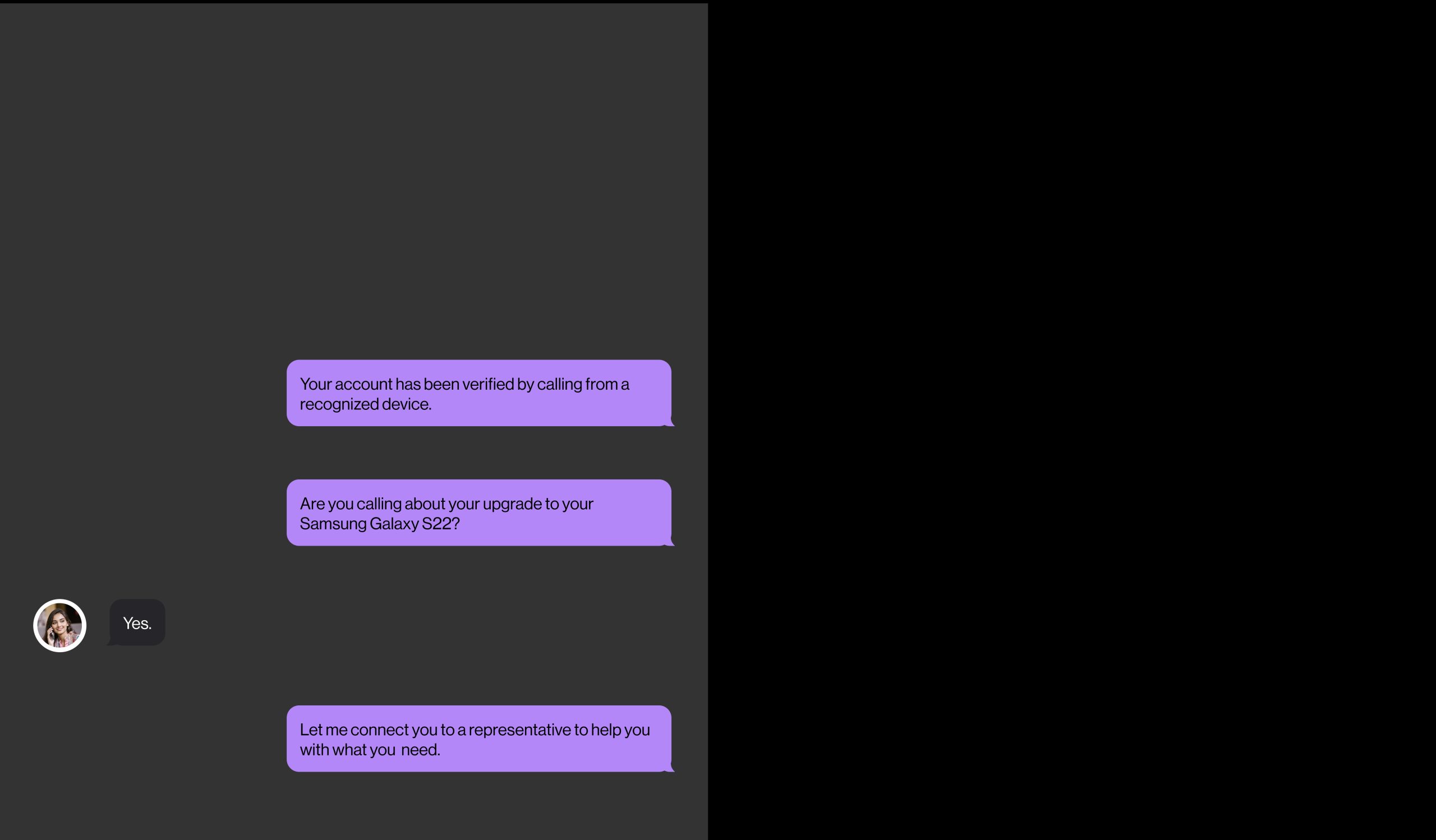
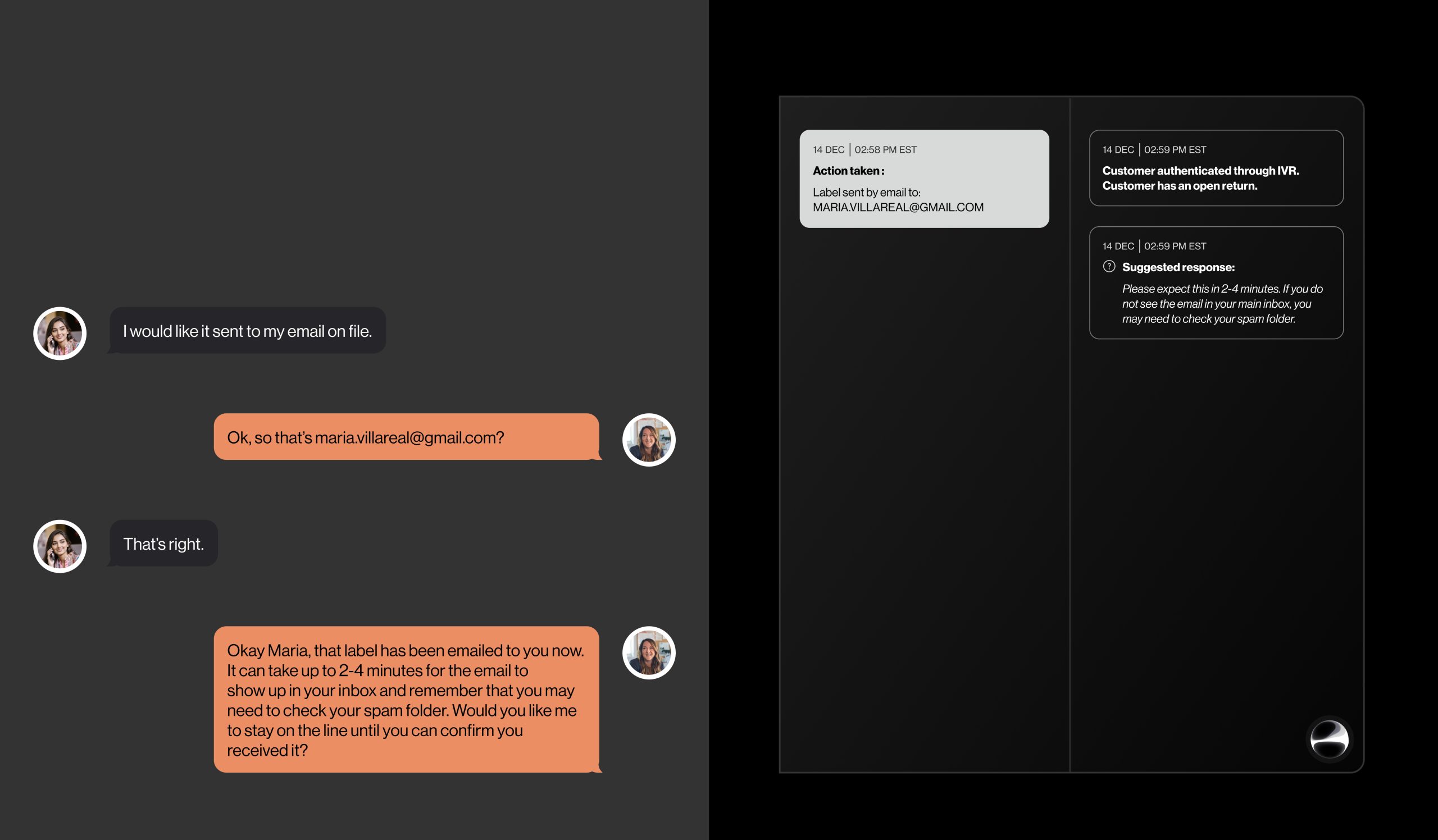
This is where we really show how our tool shines. The interaction will show how the AI tool listens to the conversation and prompts the Agent how to respond to the Customer’s requests and questions with solution options and next steps.
The interaction would therefor be:
- Agent greets Customer and confirms the subject matter for the call.
- Customer confirms specific reason.
- Agent resolves issue by confirming situation and taking action.
- AI logs actions and set’s up account for follow ups.
Follow-up Updates
We want to showcase how our AI tool supports the Customer beyond IVR and Agents to ensure they reach their resolution. This upgrade to Verizon’s system aims to reduce follow-up calls and improve Customer satisfaction.
The interaction would therefor be:
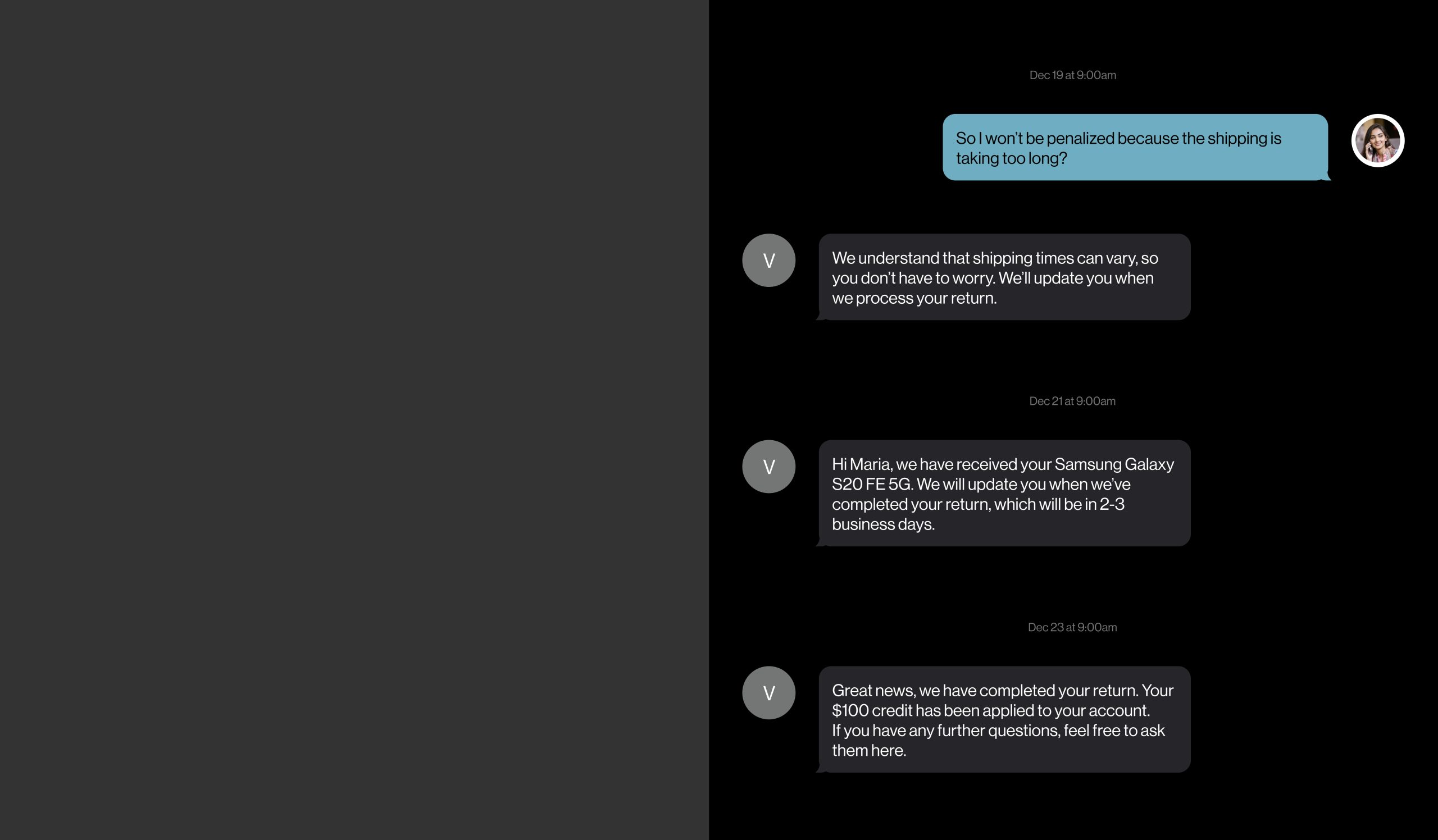
- AI tool notifies the Customer of actions taken.
- Customer has the ability to respond asking questions which will be answered.